








Demo Timecome on grab your friends
July 1, 2026
Hi folks! It's been a minute. Some updates:
- I presented a more polished version of the challenge from my last post at the Speculative Technologies Brains program showcase. You can see my talk here. The Brains program was awesome and I would recommend applying!
- I'm about to start a bunch of new work I am very excited about.
I'll talk more about the second point soon. But given that it will involve reading and putting together lots of material, I figured it was time to upgrade my knowledge management system. So, today is Demo Day!
For the first few posts on this blog I was using a digital canvas that Claude and I built.Pretty sure it ended up being like any number of tools I could have downloaded instead, but it's a hallmark of the age that it felt faster to build exactly what I wanted. The canvas let me do a couple of things:
- Paste online material as cards. I originally did this because I needed to quickly learn the Google Drive for my new post as director of Talk to the City and Google Drive's sociopathic lack of curation mechanisms made me feel like my head was full of bees.
- Organize things spatially, connect cards and put cards into categories, with color- and emoji-coding.
- Take notes and highlight on cards, e.g., here's the paper, here's quotes I liked, here's what I thought about it.
Not super special but it worked remarkably well for learning a lot of stuff in a short period of time. Still, it seemed to bottom out in terms of usefulness once information hit a certain threshold. Here's what the board looked like by the time I'd written the first two posts on this blog:
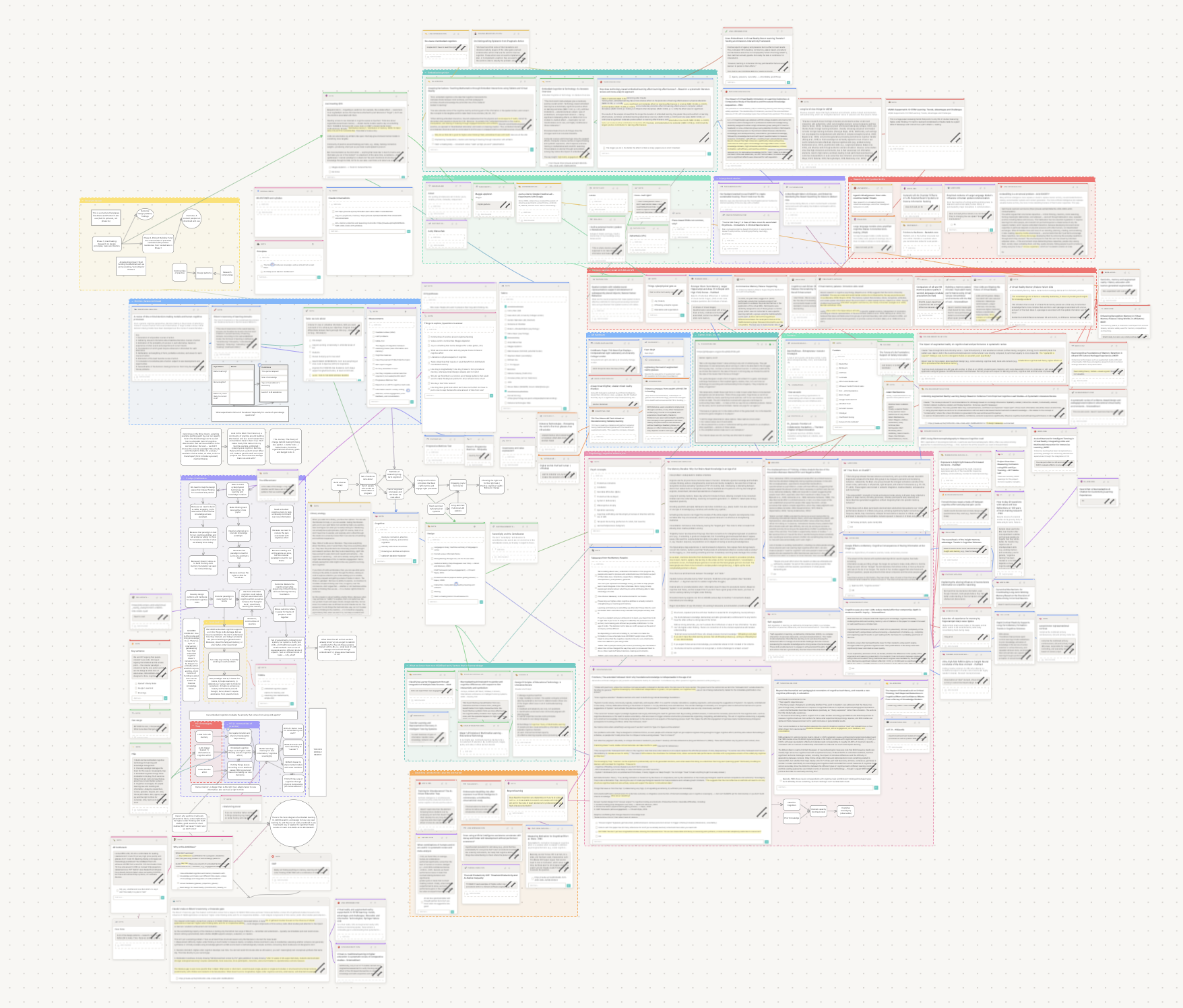
After I wrote my first post, I knew the landscape like the back of my hand and was smugly remembering things based on their positions. After the second post, I was lost in my own head. I added fun little "portals" that, when clicked, would take you to a different part of the canvas that my past self had thought relevant -- which, yikes, it doesn't matter if they glow soft colors, portals are a sign that your mental model is overgrown.
Also, I noticed I wasn't keeping the canvas updated with things I was reading all of the time. Part of that was I felt miserly about space, which was silly given that it's an infinite canvas -- better put, I felt miserly about the meaning of space. Putting a card in the wrong place inevitably caused a ripple effect of adjusting a million little cards to move it. I also didn't feel like the board was helping me curate my thoughts at a level of abstraction higher than the document, even though I could group cards into categories. I was still doing a lot of work in my notebook, disconnected from the actual documents I was curating.
So, when I sat down to build something new, I knew I wanted to follow some principles:
- Mechanics should be solicitous. Like the old board, cards should come from anywhere with an Internet link. But unlike the old board, I don't want to be spending ages moving cards so they don't overlap.
- Curation should be closer to what I do in my notebook. That means drawing things, elevating pictures or phrases to repeatable units, etc.
- LLM assistance should be within the context of my existing mental model, and it should only come when called. I am very picky about how much help I want from a machine.
Here's a screenshot of my new canvas:
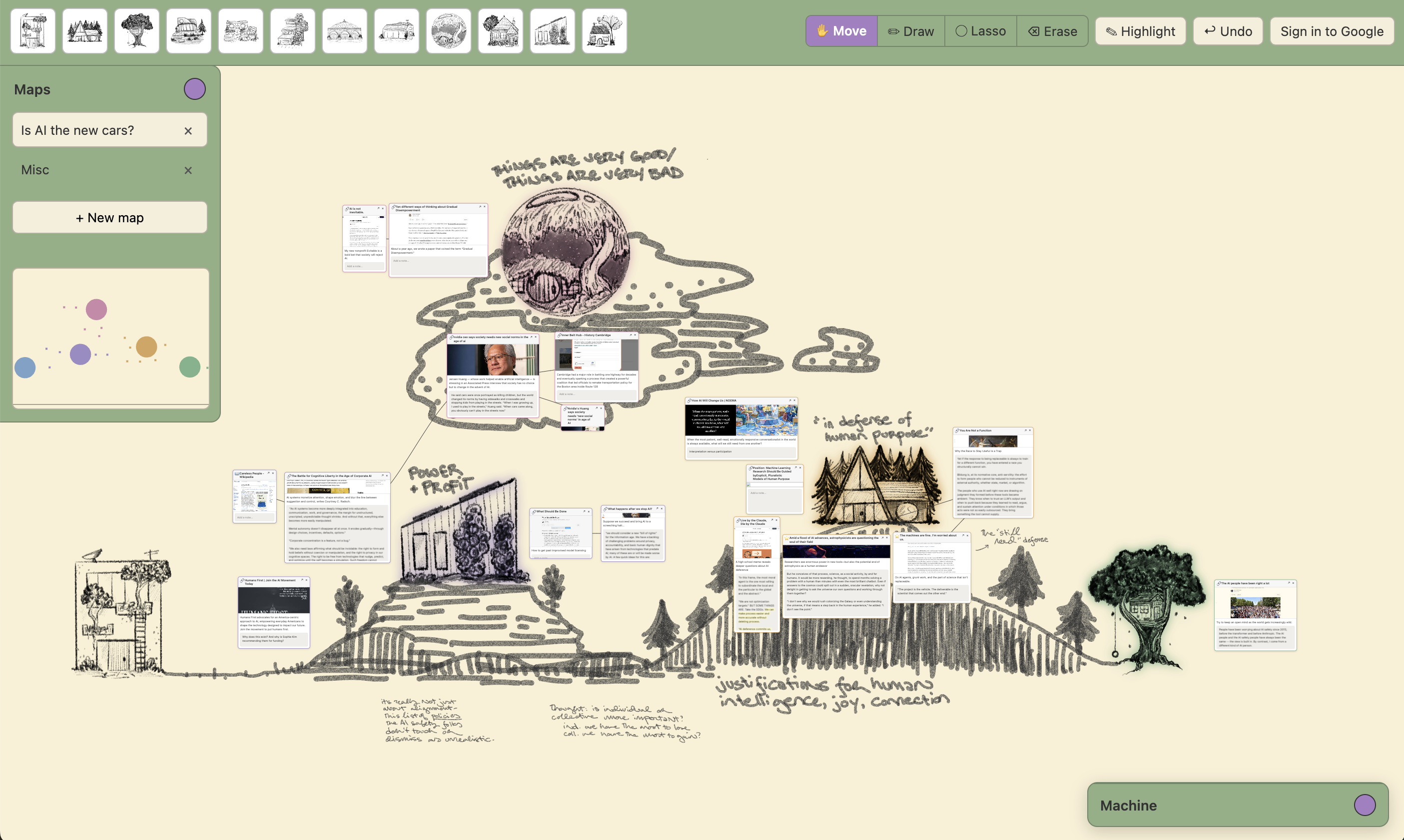
The basics remain the same: It's an infinite canvas with cards that link to websites (of Science articles, Substacks, Google docs, whatever), have notes attached and can be connected to one another. The minimap is the same, too, which might seem a little indulgent but is just so much easier than scrolling around as long as you remember where you're trying to go. But other things are different, like...
The physics!
There is physics in this board! This idea came from an Amelia Wattenberger post, which, like most of her work, lives rent-free in my head. On this board, if you add a card or move an object, other cards move out of the way. Here's a little video of the physics in action:
Cool, right? I'll never spend time manually nudging stuff around again. And the other neat thing is that objects remain as faithful as possible to their relative positions, because space usually represents semantic meaning in my foggy little head. The board handles this through a Worldbuilder class, which runs the physics, and a Locomancer class, which is responsible for knowing where things should be, i.e., how a card tied to a house "wants" to move.At some point if I end up wanting more machine help, the Locomancer class will also handle things like organize by embedding, suggest places for new cards, etc.
Which brings me to...
Houses!
Cards can be assigned to Loci, which act more or less the way categories did in the old board -- they catch cards, move them when the Locus is moved, and disappear them when the Locus is closed. But you'll notice that these cards are houses. That's because, in this board, the act of defining and drawing a Locus is important to the way that I organize and remember things, and little houses are how I want to organize things. The board also allows you to draw something and then "elevate" that object to one that persists in the top toolbar and can be assigned cards. It's sort of a build-your-own-visual-ontology kinda thing. Here's an example:
WoooOooOooo. Which takes us to...
Drawing is thinking!
Hey, I know this isn't for everyone, but for me, writing and drawing by hand has a bunch of benefits:
- Simple but important things, like drawing arrows or tiny diagrams, become easy.
- I remember things better.
- The time it takes to write a sentence or draw a diagram or picture is time for the idea to improve or break.Is my brain just slow or does this happen for other people? Like, when I'm handwriting, sometimes the time it takes to finish a sentence is the time I need to realize what I wrote was Not Right. Doesn't happen as often when I'm typing.
- If I'm not constrained by an interface, I have to think harder about what I'm actually trying to do, instead of grumping around saying to myself, "Well, this would make sense if I could draw it."
So I hooked up my old iPad to my machine and now I can use a stylus to draw arrows, scrawl notes and doodle whatever landscapes make me happy. Because, throwback to a past post, I want thinking to feel joyful, and for me, drawing is more or less thinking.
What about AI?
I'm glad you asked! Like everyone else I know, I am experimenting with how and when I bring in machines for knowledge work. I use LLMs a lot for literature review -- they find things I don't know about, they figure out who's at the front of a field, etc. But what I don't like is when an LLM pieces together a structure that I'm not ready to build yet. So I'm trying something out: This board only lets you call an LLM if you can circle the part of the canvas you want help filling in. It's a bit of a bargain: I have to provide some structure for the query, and the LLM has to be able to read that structure directly from the canvas, without making me write a prompt.
You can see my toolbox down in the bottom right corner. Right now it only has one tool: Propose reading. When I click that, my mouse switches to the lasso tool and I can select some cards. The LLM then goes off and finds cards that help bridge the ones I selected.
Here's an example. I have a couple of trains of thought on this canvas about the policy and economic contexts of AI, plus the prophetic pronouncements of various AI players. I'm going to circle a couple of cards from each: The Wikipedia page for Careless People, which I just read;The book, not the Wikipedia page. Well, and the Wikipedia page. a piece by Courtney Radsch called "The Battle for Cognitive Liberty in the Age of Corporate AI"; and an interview with Nvidia's CEO where he compares AI to cars.Oh, do not WORRY. We are going to COME BACK TO THAT ONE. As my favorite local DJ says, "Don't touch that freakin dial." And then, if you peep the video:
My LLM goes off and thinks, and it comes back with a handful of suggestions that I can add directly to the canvas. Sometimes they're just what I was looking for, sometimes they're off base. I've found that either result can be useful, because when it brings back something that isn't right, that helps me narrow down what connection I'm really trying to make.
To me, the most important part of this toolbox approach is that I have gated both my use of the LLM and its output. In order to use the Propose Reading tool, I have to have laid down some structure already on the canvas. I have to have some sort of early understanding and an inkling of where I'm going next. That's not going to be the right gate sometimes,e.g., I'm often curious about hardware problems and just want an LLM to dump information at me because, like, I will never be a person with a robust mental model of hardware. but when it comes to building my mental model, I like to have to work a little harder. And I'm also protecting myself from the eager oracle -- the LLM can give me suggestions, but I truncate its interpretation.Well, sort of. The current demo does have a lot of LLM explanation attached to the cards, but I'm planning on getting rid of that. For now it's easy to not look at and when the cards are added to the canvas, the editorialization disappears. The last neat thing about this setup is it tries to make tool use as frictionless as possible in terms of communication. I don't have to catch the machine up to what I'm thinking: I just circle a part of my mental model.
Does it work?
There's our first demo! At this point you might be wondering if all of this was worth it -- does new board outperform old board? All I can say is that I'll find out :) We'll have new stuff coming through shortly and I'll try to give little updates on whether, say, thinking is really drawing or just a relaxing way to pass some time.